
An air-gapped wallet is created on a computer that has no network connection, so the secret never touches the internet. The Ian Coleman BIP39 tool (the "Mnemonic Code Converter") is a single open-source web page that generates a standard seed phrase and derives addresses for Bitcoin, EVM networks and many other coins, entirely in the browser. Used offline, ideally on Tails, it gives you a cold wallet for a sheet of paper and a pen.
What you need
- The tool as one file,
bip39-standalone.html, from the official releases linked at iancoleman.io/bip39. We used version 0.5.6. - A USB stick to carry that file, and a computer you can run offline. Best: boot it from Tails and don't connect to any network.
- Paper and a pen (no printer: printers can keep copies), or a metal backup plate.
Step 1: Verify the file
Before going offline, check the file's SHA-256 hash against the one on the release page. We also rebuilt version 0.5.6 from its source code and got a byte-for-byte identical file to the one the website serves: see Verify wallet downloads.
Step 2: Open it offline
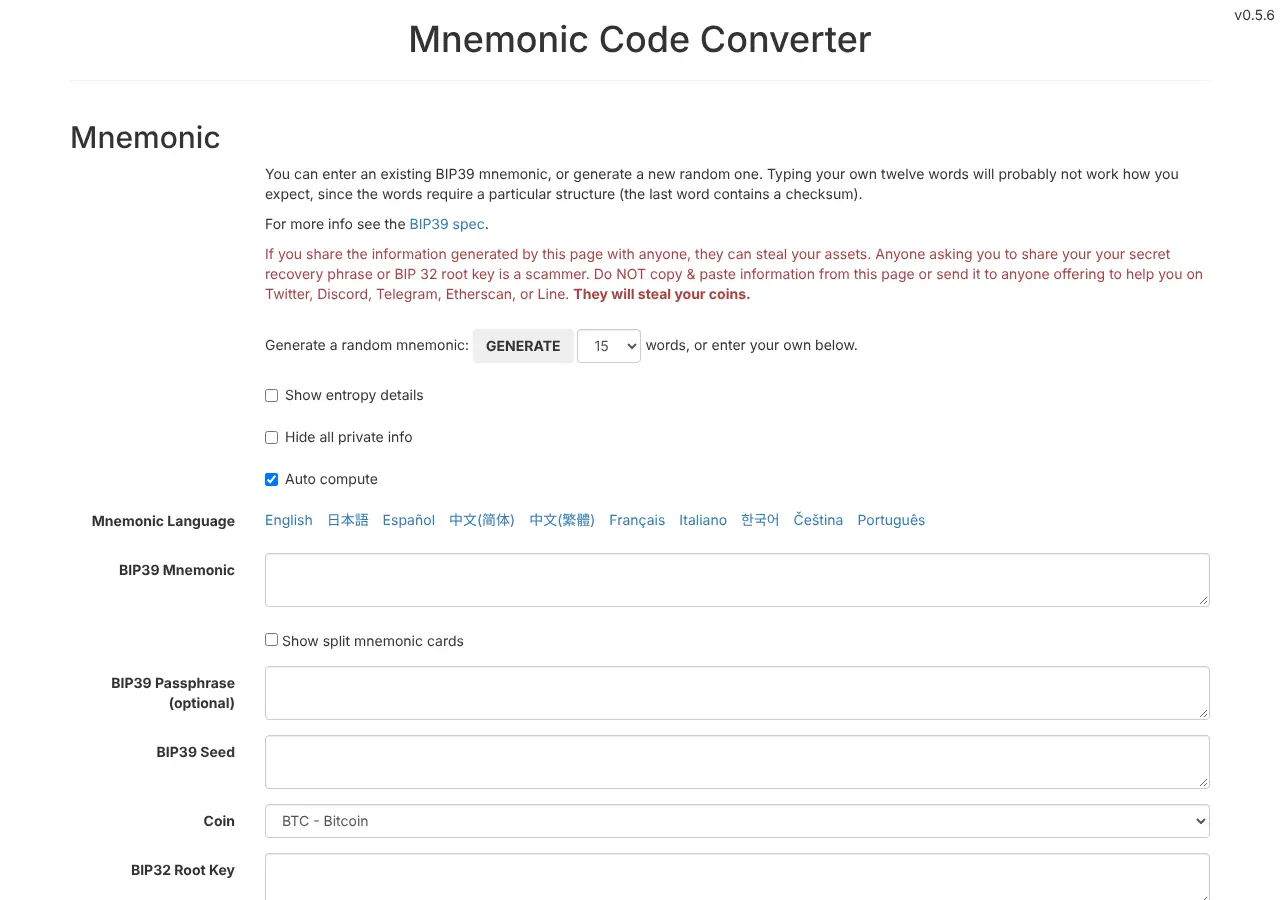
Boot the offline computer (for Tails, turn on Offline Mode on the Welcome Screen), plug in the USB stick, and open bip39-standalone.html in the browser. The page works without any connection.
Step 3: Generate 24 words
Choose 24 in the word-count list and click GENERATE. The words appear in BIP39 Mnemonic, and the seed and root key below are derived from them.
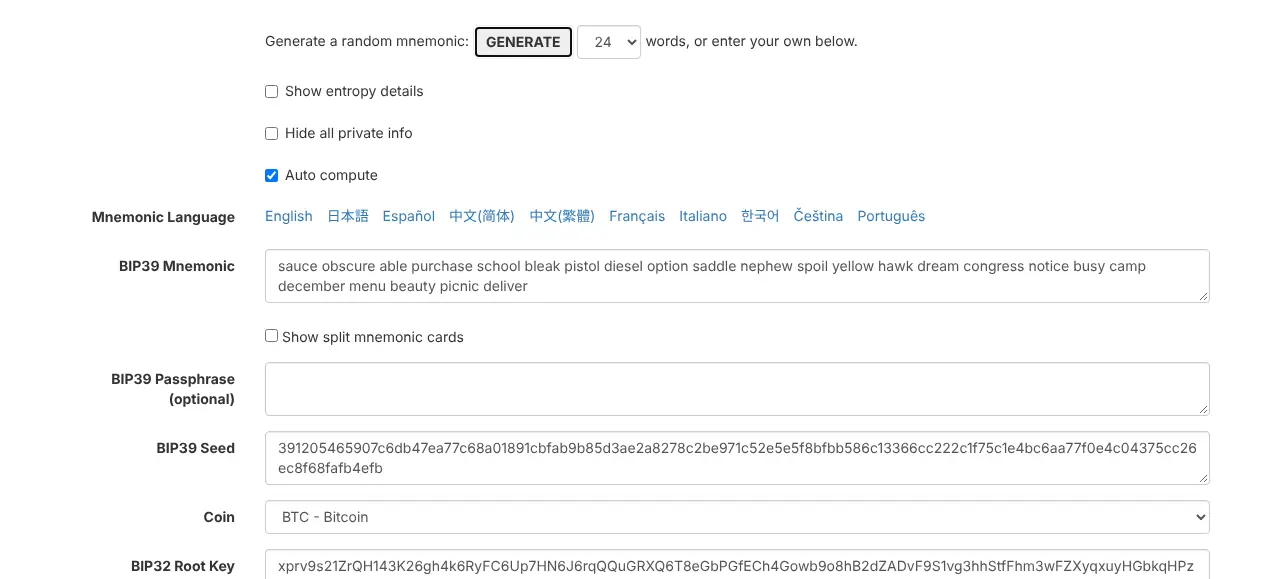
Write the 24 words on paper, numbered, in order. Check each word twice. This paper is the wallet: Back up a seed phrase safely.
Step 4: Get a Bitcoin address (native SegWit)
Set Coin to BTC - Bitcoin, scroll down to Derivation Path and choose the BIP84 tab. The derived addresses start with bc1q…, on paths m/84'/0'/0'/0/0, /1, /2 and so on.
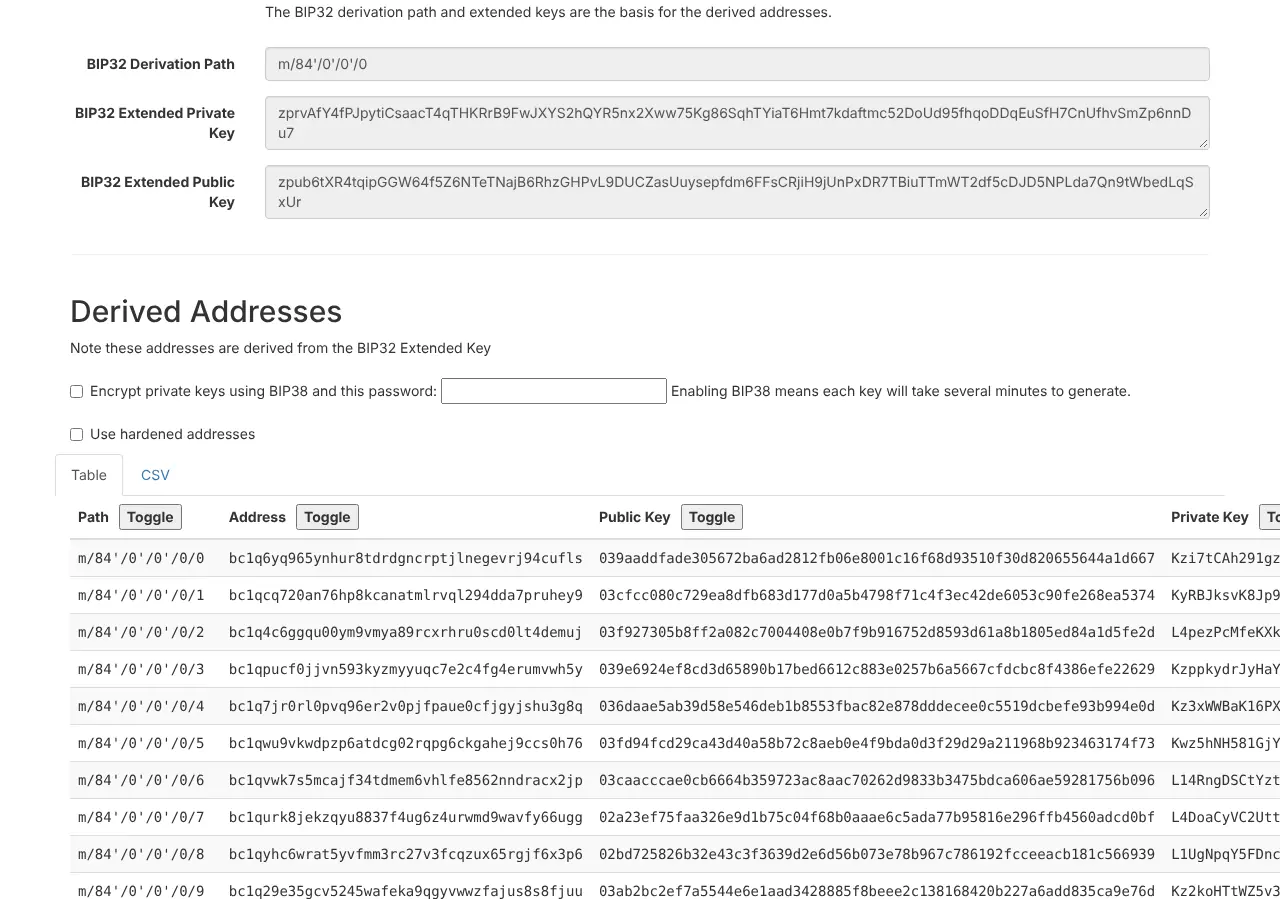
Click Toggle above Private Key (and Public Key) so only addresses remain, then copy the first address, m/84'/0'/0'/0/0, by hand or onto the USB stick as text. An address is public; a private key never leaves the offline computer.
Step 5: Get an EVM address (ETH, USDT, USDC)
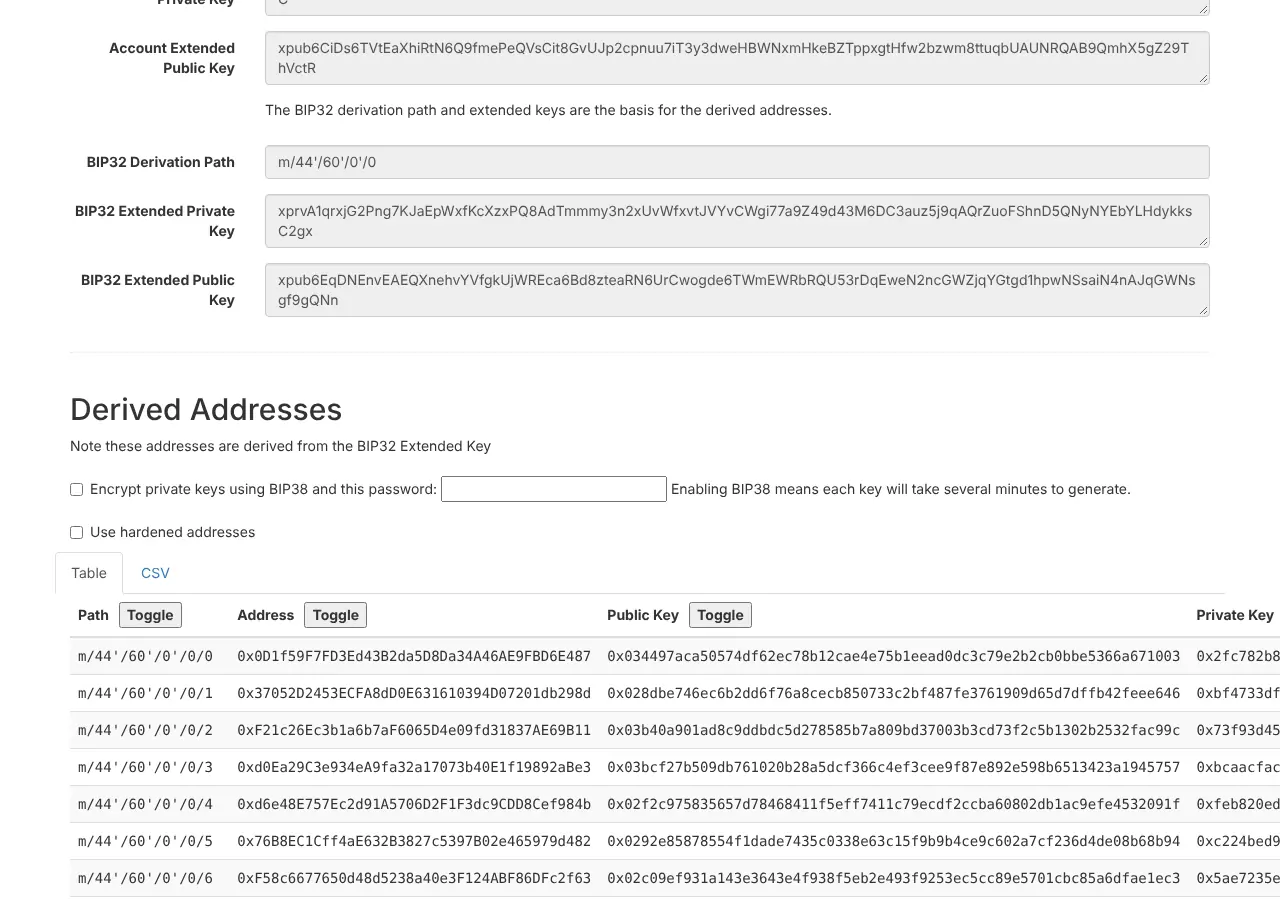
Change Coin to ETH - Ethereum and keep the BIP44 tab. The first address, path m/44'/60'/0'/0/0, starts with 0x. It's the same address that MetaMask or a Ledger or Trezor would show for these 24 words, and it works on every EVM network: What is an EVM wallet?
Step 6: Test the backup, then shut down
- Clear the mnemonic field, type your 24 words back from the paper, and check that the first addresses are identical. This proves the paper is correct.
- Shut the computer down. Tails erases its memory when it shuts down.
Step 7: Use the address for payouts
Paste the address into your PayGate.to settings as the payout wallet: the bc1q… address for Bitcoin, the 0x… address for EVM coins. Every payment is then forwarded straight into cold storage. Plugin and API guides: Accept Bitcoin payments, Accept USDT payments, Send payouts to a hardware wallet.
Spending later
To spend, the 24 words have to go into a wallet. The safest way is to restore them on a hardware wallet (Ledger and Trezor accept BIP39 words). Restoring them into Electrum or MetaMask on an online computer turns the cold wallet into a hot one: move the funds to a fresh cold wallet afterwards.
Paper wallet checklist
- [ ] File verified before going offline
- [ ] Computer offline for the whole session (Tails without network)
- [ ] 24 words written by hand, numbered, checked twice
- [ ] Backup tested by re-entering the words
- [ ] Only addresses copied off the computer
- [ ] Paper stored where fire, water and visitors can't reach it
Frequently asked questions
Is the random seed from a web page safe?
The tool uses the browser's cryptographic random number generator, which is designed for this. The real risks are an online or infected computer, and someone seeing the words, which is why this guide runs offline on Tails.
Can I use the same 24 words for Bitcoin and EVM coins?
Yes. One BIP39 seed derives keys for many coins on different paths. That also means one paper protects all of them, so guard it accordingly.
Can I generate Monero or XRP addresses this way?
Not Monero: it uses its own seed formats (16-word Polyseed or the classic 25 words), so create a Monero cold wallet with Feather Wallet, which also runs on Tails. The tool's coin list does include XRP, but we only tested Bitcoin and EVM addresses for this guide; for XRP we recommend a wallet that supports the XRP Ledger directly, such as Trust Wallet.